

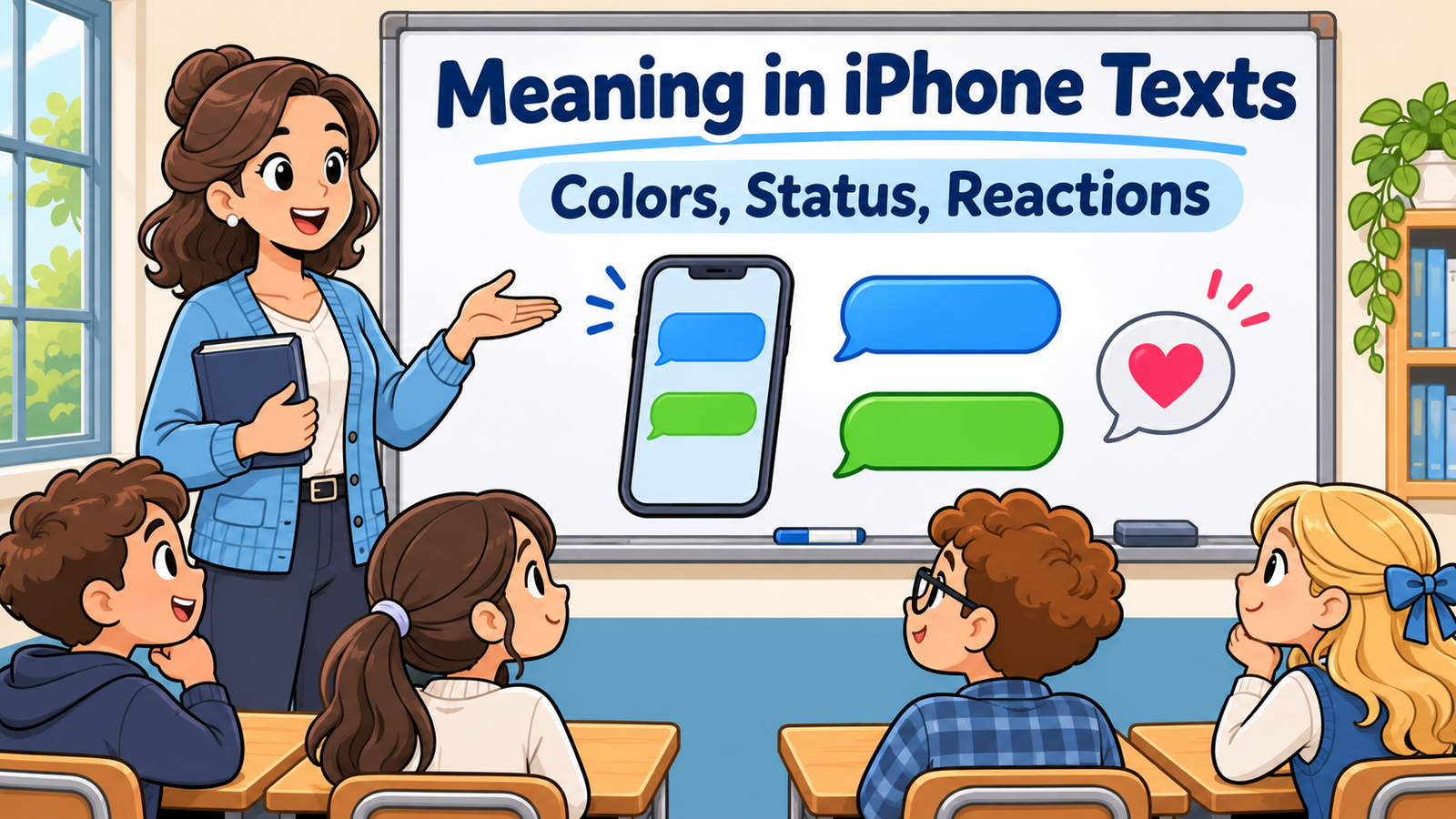
A blue bubble turns green, a message stays on Delivered, or a friend adds two exclamation marks as a reaction. It is easy to wonder whether the phone is reporting a technical change or the other person is sending a social signal.
Understanding meaning in iPhone texts starts by separating those two things. Message colors and status labels describe how a conversation is being handled. Words, emojis, and reactions need conversational context. Neither a color nor a delayed reply can reliably tell you how someone feels.
What Does Meaning in iPhone Texts Refer To?
This phrase is not an abbreviation with a hidden full form. It can refer to interface details in Apple’s Messages app or to the meaning of the text itself. A question about a blue bubble is different from a question about what someone intended by “fine.”
Begin by identifying which kind of information you are interpreting. If the app displays Delivered, look at message status. If a friend types a short reply, examine the surrounding conversation. Keeping these categories separate prevents technical details from becoming unsupported relationship conclusions.
| What you see | What to check |
|---|---|
| Blue or green outgoing bubble | The messaging service being used |
| Delivered or Read | Delivery status and read receipts |
| A heart attached to one message | A reaction to that message |
| “Not Delivered” with a red alert | A sending problem |
| A short reply such as “okay” | The wording and conversation |
Blue Bubbles and iMessage
Blue outgoing bubbles indicate iMessage. Apple uses this service for messages between supported Apple devices over an internet connection. Blue is therefore a service indicator, not a label for a close friend or an enthusiastic response.
For example, a blue message saying “I’ll arrive at six” communicates the same arrival plan as those words in another messaging service. The color helps explain how the message travels; the sentence provides the information you need to act on.
Green Bubbles, RCS, and SMS
Green outgoing bubbles can represent RCS or SMS/MMS. It is outdated to treat every green bubble as necessarily an ordinary SMS. RCS can support features such as delivery reports, read receipts, and typing indicators when the relevant service and carrier support them.
The practical lesson is to check the conversation’s service information instead of guessing from color alone. A green bubble does not independently prove that you have been blocked, and it does not describe the recipient’s feelings about your message.
Delivered vs Read
Delivered is a delivery-status label. Read is a read-receipt label indicating that the message has been opened or seen through the supported receipt system. A delivered message should not automatically be treated as a message the recipient has already read.
Read receipts can be disabled, including for particular contacts. Consequently, the absence of Read does not establish that a message remains unseen. It also does not establish that someone is deliberately avoiding you. The label provides limited technical information.
Does Read Mean Someone Must Reply Immediately?
No. A receipt may tell you that a message was opened, but it does not tell you whether the person has time to answer, needs to check something, or plans to reply later. Opening a message and completing the requested task are different actions.
If timing matters, include a clear deadline in your message: “Please confirm by four so I can book the table.” That communicates your practical need more effectively than repeatedly checking the receipt and trying to infer a reason for the delay.
What Are Tapback Reactions?
A Tapback is a reaction attached to a particular message. Examples include a heart, thumbs-up, laughter, exclamation points, or a question mark. Because it belongs to a specific message, the text it is attached to is essential context.
A heart on good news might express appreciation or happiness. The same symbol on a message offering help might mean thanks. These are possible conversational readings rather than universal definitions, so ask for a written answer when a reaction leaves an important decision unclear.
What Does Emphasized Mean?
An emphasized reaction is associated with the exclamation-point Tapback. A recipient may use it to highlight a message, express surprise, or draw attention to something. It is not a dependable code for anger or agreement.
Suppose you announce that an event moved to a different venue and receive that reaction. The sender might be surprised rather than confirming they can attend. “Can you still make the new location?” checks the actual issue without treating emphasis as a complete answer.
Typed Punctuation vs a Reaction
Two exclamation marks typed inside a sentence are part of that sentence. A Tapback attached to a bubble is a separate response to the bubble. They may look related, but they occupy different roles in the exchange.
Similarly, a question mark reaction may signal confusion or a request for more information. It does not identify exactly which detail is unclear. Replying “Which part should I explain?” is often more useful than guessing whether the sender is challenging the whole message.
The Three-Dot Typing Indicator
A typing indicator can show that the other person is composing a message in a supported conversation. It is a temporary activity signal, not a promise that a finished message will arrive immediately.
People pause, revise, become distracted, or decide that a reply needs more thought. If the indicator disappears, you cannot infer the missing message or the reason it was not sent. Continue the conversation based on messages you actually receive.
Notifications Silenced and Focus Status
A notifications-silenced notice can appear when a person shares a status indicating that notifications are paused, such as while using Focus. It describes notification behavior rather than a personal explanation of why they have not replied.
They may be concentrating, resting, or using a routine setting. You do not need to determine which possibility applies from the notice alone. Send a clear message and allow an appropriate response time; use an agreed contact method when something genuinely requires prompt attention.
Red Exclamation Marks and Not Delivered
A red exclamation mark with Not Delivered indicates a problem sending that message. It is different from an exclamation-point reaction added by another person. The alert concerns the message’s delivery, not the recipient’s emotional response.
Check your connection and the app’s available retry options. Before sending the same information repeatedly through several channels, confirm what has actually gone through. A failed attempt is a technical issue to investigate, not evidence that the recipient rejected the wording.
What Does Edited Mean?
An Edited label indicates that a supported sent message was revised. In compatible iMessage conversations, the label can provide access to previous versions. Editing can correct a simple typo or change a practical detail such as an address.
Read the current wording carefully if a plan depends on the correction. “The time now says seven—should I use that?” is a useful confirmation. The existence of an edit alone does not tell you whether the change was minor, important, or emotionally significant.
Slang Does Not Become iPhone-Specific
Abbreviations such as BRB, IDK, and TTYL do not acquire new meanings merely because someone sends them from an iPhone. BRB commonly means be right back, IDK means I don’t know, and TTYL means talk to you later.
The same principle applies to less familiar shorthand. Read the sentence and ask when necessary. A person can use ordinary slang inside iMessage, RCS, or SMS; the messaging service and the abbreviation answer different questions about the exchange.
How to Clarify an Uncertain Message
Ask about the particular detail you need. Instead of “Why are you being weird?”, try “Do you mean the plan is confirmed?” Instead of guessing from a heart, ask “Would you like me to reserve a place for you?”
Specific questions give the other person an easy way to clarify. They also keep a practical issue from turning into an argument over punctuation, color, or reply speed. You can acknowledge uncertainty without assuming a negative motive.
| Unclear situation | Clear follow-up |
|---|---|
| A thumbs-up on a message with two questions | “Does that mean both times work?” |
| An emphasized reaction to a changed plan | “Can you still attend?” |
| A short “fine” | “Are you okay with that option?” |
| A message marked Edited | “Should I use the updated address?” |
FAQs About Meaning in iPhone Texts
Does a green text mean I am blocked?
No. Green identifies a non-iMessage service such as RCS or SMS/MMS. The color alone does not establish blocking.
Does Delivered mean the person read my message?
No. Delivery and reading are different statuses. Read receipts may also be turned off, so the lack of a Read label does not settle whether the person saw the text.
What does a heart reaction mean?
It may express appreciation, affection, support, or another positive response. The message it is attached to supplies context; the symbol alone does not prove romantic interest.
Does an emphasized reaction mean someone is angry?
Not necessarily. Exclamation-point reactions can express surprise or highlight a detail. Ask for clarification if the reaction does not answer your question.
Why do message features differ between conversations?
The messaging service, device software, settings, and carrier support can affect available features. Two conversations in the same Messages app may therefore behave differently.
Conclusion
Meaning in iPhone texts includes both interface information and human communication. Bubble colors, receipts, and alerts explain aspects of message handling; the words and context explain what people are trying to say.
Read those layers separately, avoid treating technical indicators as proof of emotion, and ask direct questions when a detail matters. Clear communication is more reliable than decoding every small change on the screen.








Leave a Reply